


This support information is provided for holders of paid classified accounts.
In order to post to kingsnake.com's classifieds you must first be a registered site user. You can register for the site for free at www.kingsnake.com/myaccount.
After creating your free user account, you can purchase a classified account. Go here to purchase a classified account.
Once your funds have been received it usually takes anywhere from 1 to 10 hours for the account to be approved and activated.
Our classified system has a series of rules and regulations regarding their use. Before you begin posting ads, please review the Terms of Service located at market.kingsnake.com/tos
You can't. You will need to remove the advertisement and repost it.
Once you have logged into the classified system, go to the "My Ads" link, review the ads you currently have posted, select the ad you wish to delete and select delete.
Once you have logged into the classified system, go to the "My Ads" link, review the ads you currently have posted, select the ad you wish to relist and select relist.
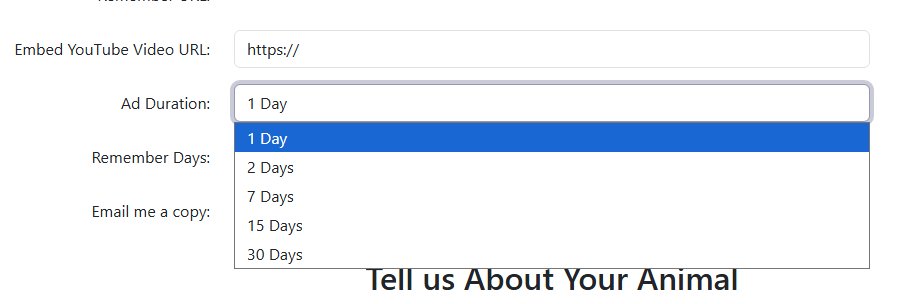
When you post your ad you are given the option of setting the ad's expiration date to either 1 day, 2 days, 7 days, 15 days, or 30 days.
You need to purchase an enhanced classified account in order to receive notification of your ads expiring. If you have purchased an enhanced classified account, then you must make sure that you have a valid email address set in your profile.
You have misspelled your email address, or your ISP is not allowing you to accept mail from our servers.
Our mail server has delivery issues with domains that use proofpoint Spam Protection (icloud.com for example). They ignore our requests to be unblocked.
You'd be amazed how many people add 'www.' to the beginning of their email address, or use commas (,) instead of periods. Check and double check the spelling of your email address when submitting a classified. Some overzealous/misguided ISPs may view email from our contact forms as spam and will block these messages.
If you have lost your account password you can have the password reset and re-sent by going to www.kingsnake.com/myaccount/forgot_password.php
There are 2 main reasons why a classified account doesn't work/has stopped working:
Perhaps the most commonly seen problem is that of multiple posting. Generally this occurs because people post, then use the BACK button of their browser to view the index page. When this happens your web browser loads the page NOT from the website, but from the CACHE the browser sets up on your local hard drive. This was the page you originally viewed and NOT the page that exists on the website. Hit the RELOAD button on your browser. The page may or may not show the updated version with your post at the top. If it doesn't you must "flush" the browser's cache manually. Please consult the browser's HELP file for instructions.
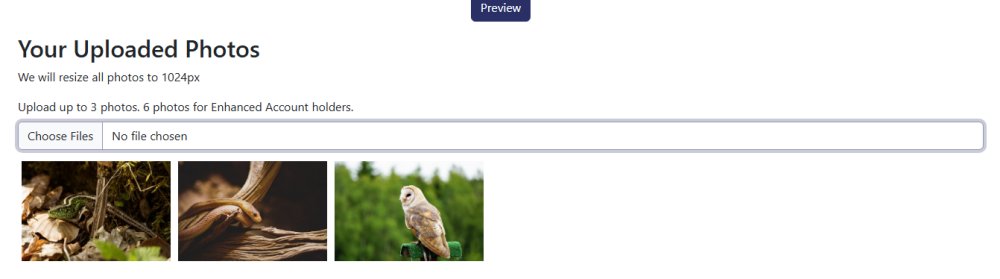
In order to place an image(s) in your post, you can upload from your computer, tablet or mobile device. You may upload any .gif or .jpg file directly to your ad.
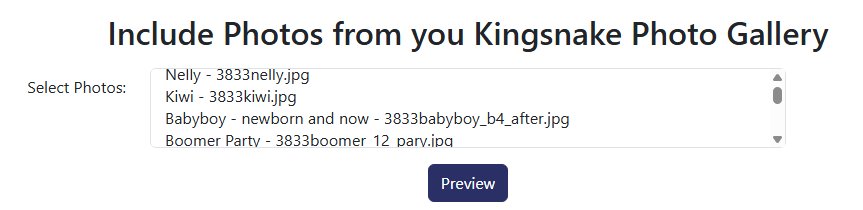
You can select photos that you uploaded to our Photo Gallery. They will be placed at the bottom of your ad.
Often an attempt to post an image in a classified ad or message board post is unsuccessful, usually resulting in the broken image symbol below...
To prevent this from occurring in your post make sure of the following:
Sometimes an attempt to post a website link is unsuccessful and either is not listed in the post or points to the wrong location or address. To prevent this from occurring in your post make sure of the following:
You can use our NicEdit WYSIWYG editor to format your post. NicEdit is a Lightweight, Cross Platform, Inline Content Editor to allow easy editing of web site content on the fly in the browser.
You can use HTML tags in the body of the message, including inline image tags, and links. You can insert images and links using the toolbar too!
HTML stands for Hyper Text Markup Language with hyper text referring to its ability to "associate" or "link" one document to another. HTML as originally designed was meant to be the great leveling language that allowed a variety of different types of computers to view the same documents in roughly the same format and layout. This is what made the World Wide Web work. Until the development of HTML both use of, and access to, the internet was limited.
It would be silly for us to offer even a basic .html primer here, when so many sites are devoted to it. Below is a list of good .html resources that gives you a variety of places to find answers.
Auto relisting of ads is available to enhanced classified account holders. Auto relisting means that you can have an ad automatically reposted after it expires. This will interest you if you often post/relist the same ad over and over again.
In the "My Ads" interface you can select individual ads for relisting. In the rows displaying your ads, there will be a "[ Relist ]" link you can click to relist the ad. You will be presented with a screen which allows you relist and Expired Classified Ad.
Please note that enabling Auto-relist on an expired ad does not mean it will be re-posted immediately. Our system checks for and reposts expired ads twice daily and your ad will be reposted then.
Ads Auto-relisted will count toward your Ad limit per Category per Day totals. If you have manually posted/relisted 3 ads in a given category, then your Auto-relist ads for that category will not be posted that day. Our system will attempt to relist ads flagged for auto relisting for 15 days after they expire. If the ad hasn't been reposted after 15 days it will be deleted.
Ads will Auto-relist indefinitely. Until you "Disable" Auto-relist or delete the ad, it will continue to be relisted every time it expires.
Ads are hidden by moderators of our classified systems for a variety of issues usually prohibited by our Terms of Service contract. Any time an advertisement is removed, our systems automatically generate an email to the account holder. For a clarification as to why your ad was removed, please contact Classified Help here.
Ads are moved by moderators of our classified systems when they appear to have been placed in an incorrect or inappropriate classified section.
The Classified Vendor Directory is a free listing of classified account vendors that have filled out their classified account profile.
You will need to log in to your classified account and fill out the classified account profile form entries to populate your profile. Once you have updated your profile data it may take a couple hours for all the databases to update and your listings to appear.
We hope this helps to answer your questions. We will be adding to our support page as new questions are asked.



Help, tips & resources quick links
Manage your user and advertising accounts
Advertising and services purchase quick links
